How to create an account, log in securely, and activate your bonus on CSGOFast. Supports Steam, Google, Twitch, and Telegram authentication.
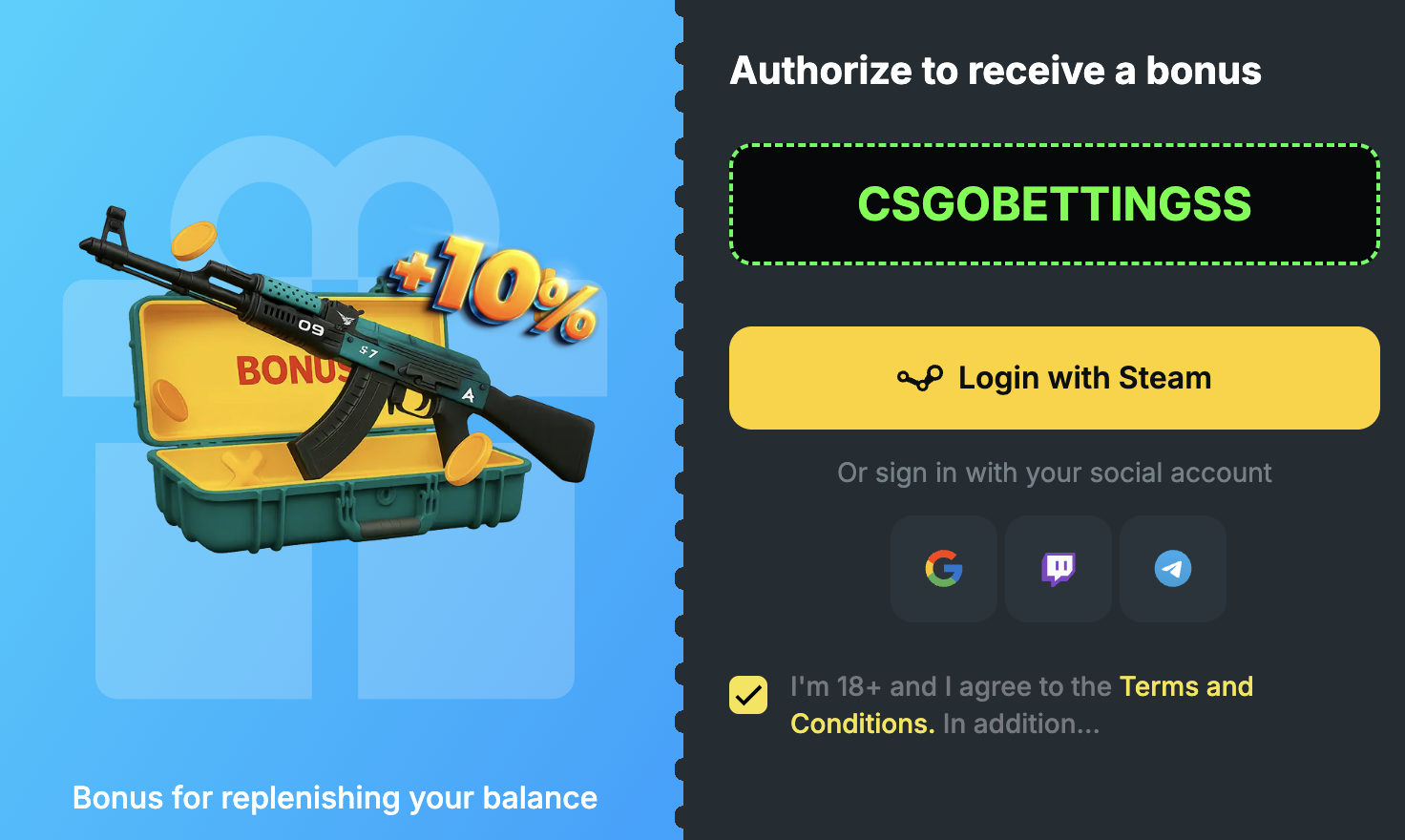
CSGOFast keeps registration simple. There are no lengthy forms, no email verification hoops, and no waiting periods. The platform supports four login methods, each using OAuth or similar secure authentication. This means CSGOFast never handles your passwords directly — everything goes through the official authentication page of the service you choose.
Let us break down each option so you can pick the one that fits your situation best.
The most popular choice, and for good reason. Steam login connects your CS2 inventory directly to CSGOFast, enabling skin deposits and withdrawals. When you click "Login with Steam," you are redirected to Steam's official login page. After entering your Steam credentials there (not on CSGOFast), you authorize the connection, and you are in. CSGOFast receives your public Steam profile info but never your password or payment details.
Best for: Players who want to trade CS2 skins directly.
Quick and convenient if you have a Google account. Click the Google icon, select your Google account, authorize the connection, done. This method is ideal for players who do not have a Steam account or prefer to keep their Steam profile separate from gambling sites.
Best for: Non-Steam users or those who prefer account separation.
Perfect for the streaming community. If you are already logged into Twitch, the authentication is almost instant. This option connects your Twitch identity to CSGOFast, which is useful if you stream your gameplay or follow CS2 skin gambling content on Twitch.
Best for: Streamers and Twitch-active users.
The newest addition. Login via Telegram is fast and does not require a traditional email-based account. You authenticate through the Telegram app on your phone, confirm the request, and your CSGOFast account is created. This is particularly popular among users in CIS countries and communities that are active on Telegram.
Best for: Telegram users, mobile-first players, CIS region users.
Whether this is your first visit or you are returning after a break, here is the complete walkthrough:
Open CSGOFast in your browser. The site works on desktop, tablet, and mobile browsers. You do not need to download anything. Make sure you are on the official site to avoid phishing attempts.
You will see login options prominently displayed on the homepage. On desktop, they are typically in the upper right corner. On mobile, tap the menu icon first, then find the login option.
Choose between Steam, Google, Twitch, or Telegram. Steam is recommended if you plan to deposit and withdraw CS2 skins. For a quick start without Steam, Google or Telegram work great.
You will be redirected to the official page of whichever service you chose (Steam, Google, etc.). Log in there if you are not already, and authorize CSGOFast to access your basic profile information. Important: your password is never shared with CSGOFast.
After your account is created, look for the promo code field. Enter CSGOBETTINGSS to claim your free gift case and activate the +10% deposit bonus. This is a one-time action — do not skip it, or you miss out on free value.
You are now fully logged in. Your dashboard shows your balance, available games, and the free gift case waiting to be opened. Take a few minutes to explore the interface before placing any bets.
Security matters, especially on a platform where real-value items and money are involved. Here is what CSGOFast does to protect your account, and what you should do on your end.
All four login methods use OAuth or similar token-based authentication. In simple terms, this means:
While CSGOFast handles the technical security, there are steps you should take:
Login issues happen. Here are the most common problems and fixes:
| Problem | Likely Cause | Solution |
|---|---|---|
| Steam login page not loading | Browser extension blocking it | Disable ad blockers temporarily, try incognito mode |
| "Authorization failed" error | Steam Guard confirmation needed | Check your email or Steam app for the confirmation |
| Logged into wrong account | Multiple Steam/Google accounts | Log out of all accounts first, then log in with the correct one |
| Page stuck on redirect | Browser cache issue | Clear cookies for CSGOFast and the login provider |
| Account suspended | Terms violation or security flag | Contact CSGOFast support directly |
CSGOFast does not have a dedicated mobile app, but the mobile web version works smoothly on both iOS and Android browsers. Here are some tips for mobile users:
For a more app-like experience, you can add CSGOFast to your phone's home screen. On iOS, tap the share button in Safari and select "Add to Home Screen." On Android in Chrome, tap the three-dot menu and select "Add to Home screen." This creates a shortcut that opens CSGOFast in a full-screen browser window, mimicking a native app experience.
Mobile users may find Telegram login especially convenient. Since most mobile users already have the Telegram app installed, the login process is seamless: tap the Telegram login button on CSGOFast, confirm in the Telegram app, and you are in. No typing required.
You are logged in. Now what? Here is a practical first-session checklist:
Visit CSGOFast and click the login button. Choose Steam, Google, Twitch, or Telegram. Authorize on the provider's page, and you are logged in instantly. No email registration or passwords needed on CSGOFast itself.
Yes. Steam login uses OAuth authentication. Your password is entered on Steam's official page, not on CSGOFast. CSGOFast only receives a token for identification — never your credentials.
Each CSGOFast account is tied to one login method. If you sign up with Steam, you log in with Steam. To use a different method, you would need to contact support about account migration.
Try each login method one at a time. When you hit the right one, the system will recognize your existing account and log you in. If none work, contact CSGOFast support.
No dedicated app exists, but the mobile website works well on all modern browsers. You can add it to your home screen for an app-like experience.
Yes. Go to your Steam account settings, find the list of authorized third-party applications, and remove CSGOFast. Note that this will prevent you from logging in until you re-authorize.